• 32 inch pcap touchscreen
  • touch screen pcap
  • 17 inch touch screen
  • 32 inch pcap touchscreen
  • touch screen pcap
  • 17 inch touch screen

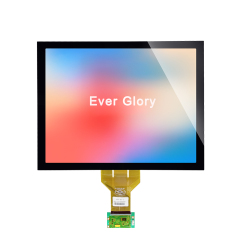
finger touch capacitive 15 inch touch display industrial supplier

This 15-inch 4:3 touch display module is mainly designed for industrial applications. It adopts a G+G structure and full lamination design, eliminating the air gap between the LCD panel and cover glass to improve light transmittance and reduce reflection.
For the control chip, it uses a wide-temperature industrial-grade chip with an operating temperature range of -20°C to 70°C. It will not crash, freeze or experience touch failure even in high or low-temperature working environments.
MOQ
1PCS
Working Temperature
-20~70℃
Bonding Type
Optical Bonding
Waterproof rate
ip65
Touch Points
1-10 touch points
Contrast Ratio
1000:1
Color
16.7M
Brightness
1000nits
$45.00
  • 32 inch pcap touchscreen
  • touch screen pcap
  • 17 inch touch screen

Description

Product Overview

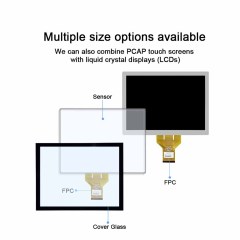
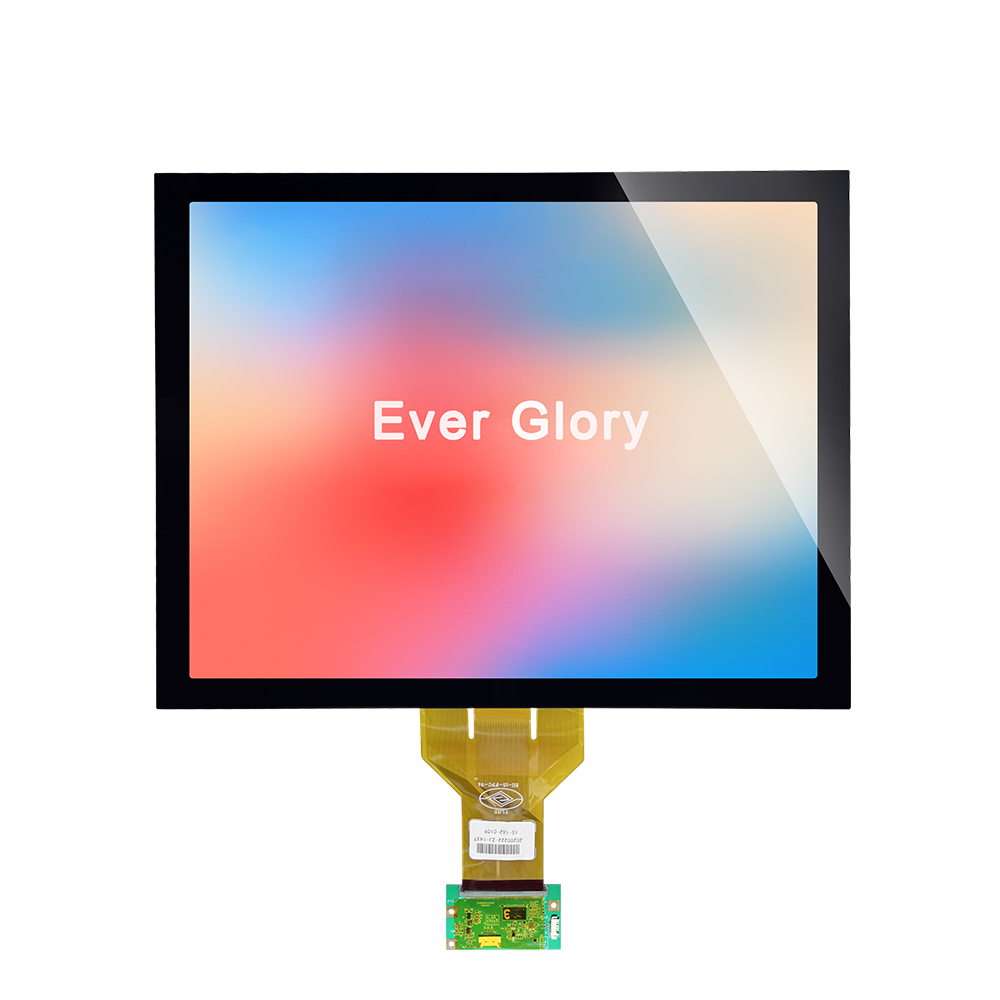
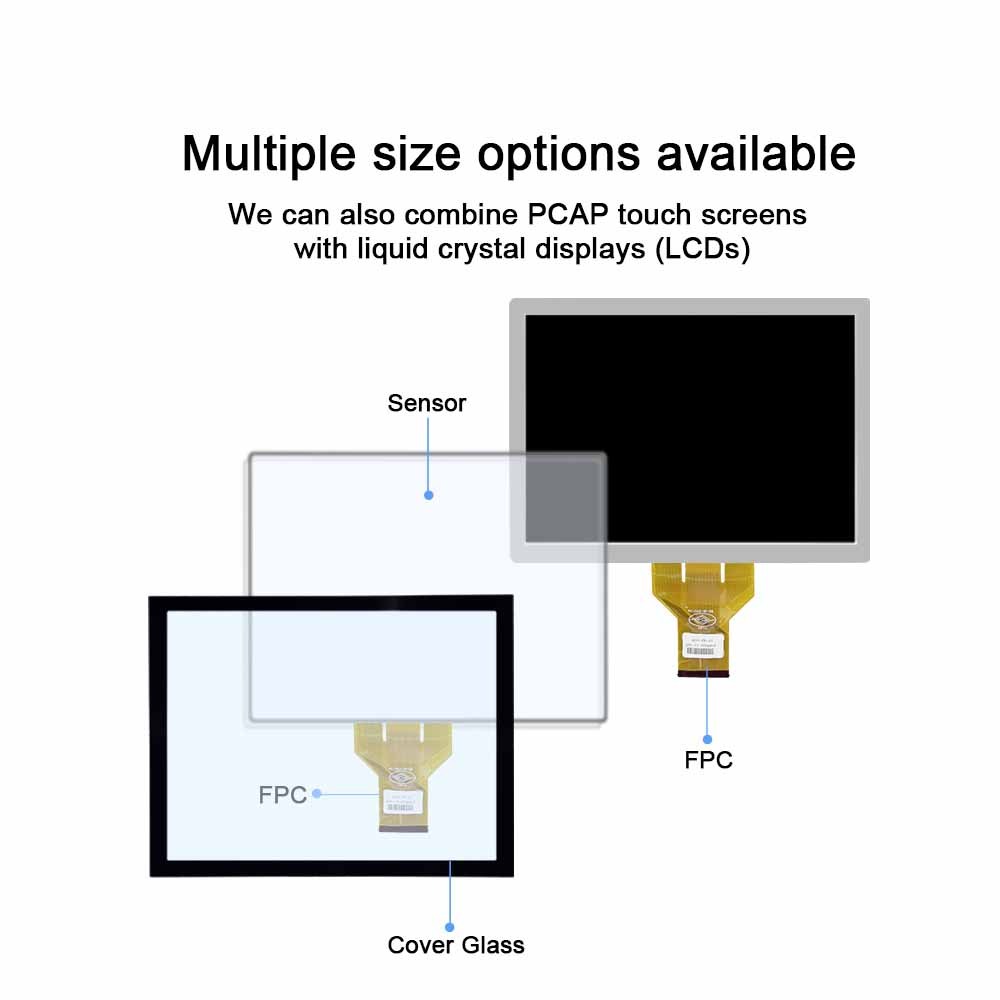
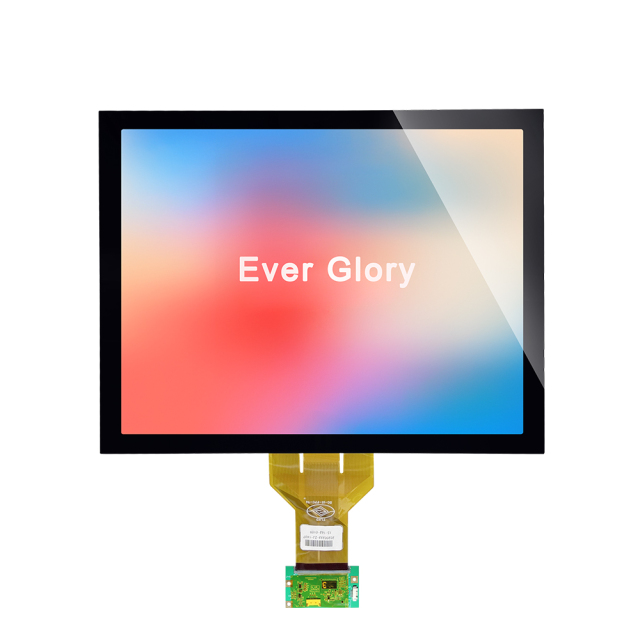
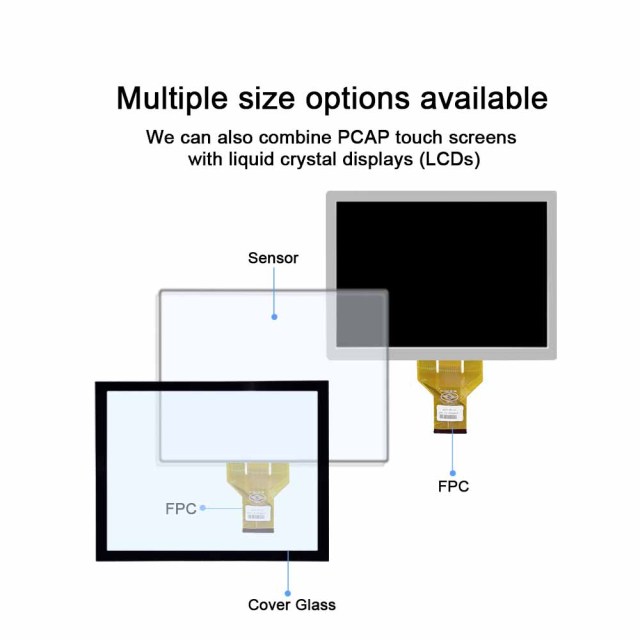
This 15 inch capacitive touch display module arrives as one laminated assembly: cover glass, PCAP touch sensor and LCD bonded into a single front panel, with the FPC ribbon connector and driver board already attached. There is no separate sensor to align and no second bonding step in your own factory — you mount one part and connect one ribbon.

The active area is 15 inch in 4:3, the squarer format that control panels, instrument faces and kiosk layouts were often designed around. That matters most when you are replacing an existing front panel: the active area, the bezel land and the screen graphics can usually be carried over instead of redesigning the enclosure and redrawing every page of the interface.

Ever Glory has been an industrial touch display supplier since 2011, making cover glass, ITO sensors and optical bonding in-house in Dongguan. Because the touch layer, the LCD and the adhesive are matched in one plant rather than assembled from three vendors' tolerances, the stack behaves as one part when it heats, cools or vibrates.

Where the module earns its place is equipment that runs all day in unfriendly conditions: machine HMI on a production floor, outdoor ticketing and self-service terminals, medical carts, vehicle and transport interfaces. The operator reads that screen dozens of times a shift, so a dim image, a hazy pane or a touch that needs a second press stops being a detail and becomes a service visit — the brief a touch display manufacturer is designing against.

Specifications

Parameter Value
Product type Capacitive touch display module (PCAP sensor + LCD)
Screen size 15 inch
Aspect ratio 4:3
Touch structure G+G (glass sensor on glass cover)
Bonding Optical bonding, no air layer
Brightness 1000 nits
Contrast ratio 1000:1
Colour depth 16.7M
Touch points 1-10
Operating temperature -20 °C to 70 °C
Protection rating IP65 front face, IP67-rated sealing gaskets
Connection FPC ribbon connector with driver board

Full Lamination vs Air Bonding

  • Bonding type — Air bonding runs sealing adhesive around the frame only, leaving an air gap between the screen and the cover glass. Full lamination fills the whole surface with optical adhesive, so there is no air layer and no gap anywhere in the stack.
  • Reflection in strong light — An air gap creates obvious reflection and poor visibility in bright conditions. The bonded stack keeps reflection low, so the image stays clear and readable even under strong light.
  • Image quality — Air-bonded images look dull and slightly blurry, with a layered separation between the touch surface and the picture. Here transparency is high, colours are more accurate and the image reads as one surface.
  • Off-screen appearance — Air-bonded borders look greyish with visible splicing lines. The bonded version gives an integrated black effect with no visible splicing lines, giving a high-end look around the active area.
  • Touch performance — Air-bonded stacks are average in sensitivity and prone to drift. This module responds fast and stays accurate and stable in daily use.
  • Dust and fog — With an air gap, dust works its way in and condensation fogs the glass from the inside. With the gap gone, the module is far less prone to dust ingress and fogging and holds stronger protection.
  • Environmental reliability — Air bonding is only average against high and low temperature and against vibration; the bonded assembly is more resistant on both counts and stays more stable.
  • Service life — Air-bonded units tend to fail earlier in service. The bonded unit runs longer and behaves more consistently over years of use.
  • Cost — Air bonding is the low-cost, high-cost-performance choice. Optical bonding costs more and gives the better quality, and that difference is repaid in field reliability and fewer returns.
  • Where each one fits — Air bonding belongs in indoor, low-cost projects. This module is built for industrial, outdoor, self-service terminal, medical, automotive and other high-demand scenarios.

Sunlight Readability

Brightness is where most indoor panels fail an outdoor job. This display runs at 1000 nits, enough to hold its image when sunlight lands directly on the glass or a workshop window sits behind the operator. Brightness alone is not enough, though — a bright screen behind a reflective pane just becomes a mirror, which is why full lamination matters as much as the backlight. Reflection is controlled at the bonded interface instead of on top of an air gap, so glare drops and contrast survives.

High-transparency optical glass and a low-haze bonding process do the rest. Haze is what makes a bonded screen look milky: light from the LCD scatters before it reaches the viewer, small text softens and fine trend lines disappear. Keeping haze low means more of that light reaches the eye, so a dense HMI page, a table of setpoints or a thin waveform stays legible at arm's length.

Colour matters as much as sharpness on an equipment panel. A wide gamut at 16.7M colours with a 1000:1 contrast ratio keeps status greens, alarm reds and trace colours clearly apart, so an operator reads machine state at a glance instead of leaning in. Because this is a screen people watch for a whole shift, the cleaner image also eases the eye strain that builds up behind a hazy window.

One thing worth planning with your mechanical team: any extra layer you put in front of the display — a thicker outer window, an anti-glare film, a heated pane — changes the optical result. Send us the stack you intend to build and we will tell you what it does to reflection and contrast before you commit to tooling; as an industrial touch display supplier, that is the check we would rather run on paper than after the glass is cut.

Touch Performance

  • Industrial-grade controller — touch is driven by a wide-temperature industrial controller with anti-interference firmware, not a consumer chip, so response stays consistent inside a cabinet that also holds drives, relays and switching supplies.
  • Wet hands and gloves — damp fingers, nitrile gloves and work gloves still register, so an operator coming in from the rain or already wearing PPE does not have to strip a glove off to press a button.
  • Fast, stable recognition — tracking is quick and accurate without the drift or intermittent touch that makes people stab at a screen twice and complain that it does not listen.
  • G+G tempered glass front — the sensor sits on glass with a glass cover over it, so the surface takes daily wiping, cleaning agents and the occasional knock without the clouding that film-based fronts develop.
  • Multi-touch — one to ten touch points are tracked at once, which covers everything from a single-select menu to pinch and zoom on a plant map or a trend screen.
  • Interference in real cabinets — an industrial touch screen shares its ground and power with whatever else is in the enclosure; the firmware filters most of that noise, and if your cabinet is unusually busy electrically we will look at grounding and cable routing with you.

Sealing and Environmental Protection

The screen edge is where moisture and swarf get in. This module uses a narrow-bezel integrated edge-sealing design: IP67-rated waterproof and dustproof gaskets sit around the screen edge, the joint is filled with epoxy potting, and the face is sealed as part of the lamination. Liquids, dust, cutting fluid and oil contaminants are blocked at the perimeter, so long-term touch operation does not depend on how clean the shop floor is.

Because the module is built with full lamination — the optical adhesive is vacuum-applied across the entire surface — there is no air pocket to breathe in and out as the panel warms and cools. Condensation and dust have nowhere to collect, the structure is stiffer, and the unit holds up longer in a humid or temperature-cycling installation.

Temperature is handled by the control chip rather than by derating the display. Touch runs on a wide-temperature industrial-grade chip rated from -20 °C to 70 °C, so it does not crash, freeze or lose touch response at either end of that range. A cold-store door terminal and a sun-exposed outdoor cabinet both sit inside its working window.

Vibration takes bonded displays apart in a predictable way: the adhesive lets go at the edge, a ribbon starts to flex, and the picture drops out. To resist that, the assembly uses high-toughness optical adhesive with structural dispensing reinforcement, held by a bezel latch and metal crimping. Degumming, loose cables and display failure under sustained vibration are exactly what this construction is meant to prevent.

One practical condition: the front-face rating assumes the module is pressed against a flat, clean, rigid bezel with its gasket evenly compressed. Sealing the rear of your enclosure is your side of the job. A touch display manufacturer that builds its own cover glass, sensors and bonding can talk you through both halves, which is why Ever Glory keeps all three processes in-house.

Applications

  • Machine HMI and factory automation — mounted in a sealed front door on a production machine, the screen shows cycle counts, alarms and setpoints while the operator works in gloves. It replaces the air-bonded indoor panel that hazed over after a year on the line.
  • Outdoor self-service terminals — ticket machines, parking and charging kiosks, parcel lockers and check-in counters. Sun hits the glass for hours and rain hits the bezel; an industrial touch screen in this position needs both brightness and a sealed front, and this 15 inch capacitive touch display is sized for the cabinet fronts those machines usually use.
  • Medical equipment and carts — analyzers, bedside terminals and mobile carts where the screen is wiped down between patients and operators work in examination gloves. The glass front takes repeated disinfection wipes and the sealed edge keeps liquid out of the stack.
  • Vehicle, transport and heavy equipment — forklift cabins, agricultural and construction machinery, bus and rail interfaces. Temperature swings and constant engine vibration are the normal working condition, which is what the bonded stack and metal crimping are there for.
  • Machining and washdown areas — where coolant mist, oil and swarf reach the front panel, the perimeter seal and epoxy potting do the work that an open air gap cannot.
  • Where it is not the right fit — indoor, low-cost projects and consumer or office equipment are usually better served by an air-bonded panel. If your device needs a specific medical or automotive approval, raise that requirement with us before design freeze rather than assuming it is covered.

Installation & Integration

  1. Check the drawing against your enclosure before tooling: outline, active area, FPC exit side and the flat land where the gasket will sit.
  2. Seat the module so the gasket is compressed evenly, then tighten bezel screws in a cross pattern to the torque your mechanical engineer specifies — uneven pressure is the usual cause of a leak or a stressed glass edge.
  3. Route the FPC ribbon with gentle radii, away from high-current cables and motors, and anchor it so vibration cannot flex it against a metal edge.
  4. Confirm the interface and pinout with our engineers before first power-up. This capacitive touch display module ships with its FPC ribbon connector and driver board attached, and the mating connector on your board has to match.
  5. Power up and test touch across the whole active area, at the extreme edges, and with the gloves your operators actually wear on shift.
  6. Run the machine while you test. Drives and inverters can disturb an unbonded or poorly grounded front panel; the anti-interference firmware handles a lot, but grounding and cable routing on your side still matter.
  7. Finish the enclosure sealing around the rear of the module and verify the assembled rating afterwards. The front-face IP65 protection depends on the gasket landing properly on your bezel, not on the module alone.

Ordering & Delivery

  • Minimum order — 1 pc, so a single unit can be built into a prototype or a first article.
  • Price — the listed unit price is US$45.00 for this configuration. Confirm the current figure and any volume breaks with your sales contact before quoting internally.
  • Lead time — not fixed on this product; confirm the current schedule for your quantity and configuration with your sales contact.
  • Payment and shipping terms — confirm the payment terms, incoterms and shipping method that apply to your destination with your sales contact.
  • Packing — modules travel in protective packing suited to a glass-faced assembly; confirm the packing standard for your shipment size and route.
  • Drawings and datasheet — request the current drawing pack and datasheet for your project files; they are issued against your enquiry.
  • Evaluation units — ask your sales contact about unit availability for evaluation before you commit to a production build.
  • Changes that affect cost and schedule — if your project needs a different cover glass, FPC length, interface or brightness setting, describe it in the enquiry. As an industrial touch display supplier we will tell you what is possible with existing tooling and what would need new tooling, before you plan around it.

Technical Support & Model Matching

Choosing the right touch module for a new enclosure is usually a joint exercise, so our engineers work directly with your design team from the first drawing. Send us your mechanical outline, interface and operating environment and we will match a configuration from our range, confirm tolerances and share drawings for review before tooling. When something behaves unexpectedly in the field, we help trace it — controller settings, calibration, sealing or assembly — and give installation and start-up guidance. With 15 years in the touch industry and our manufacturing base in Dongguan, support stays with the people who build the part.

FAQ

Q1. What protection rating does this touch screen carry?

The front face is rated IP65, built with IP67-rated sealing gaskets around the edge plus epoxy potting behind the bezel, so liquid, dust, cutting fluid and oil cannot reach the touch stack. That rating is achieved when the module is mounted correctly: the gasket has to land flat on a clean, rigid bezel, and the rear of your enclosure still needs its own sealing.

Q2. Can this screen be used outdoors or in harsh industrial environments?

Yes. What makes an outdoor or shop-floor installation work is the combination: 1000 nits with low reflection so the image survives the light, a bonded stack with no air gap so nothing condenses inside, and a sealed front that keeps coolant, oil mist and washdown water out. This 15 inch capacitive touch display is specified for that kind of duty rather than for a clean office. Tell us where it will be installed and what it will be exposed to — cutting fluids, cleaning agents, salt air, direct sun — and we will confirm the sealing and mounting arrangement against it.

Q3. Does it support operation with wet hands or gloves?

Yes. Damp fingers and most work gloves register because the controller and firmware are tuned for it, and the G+G glass front takes the wear that comes with daily use. Very thick insulated gloves or heavy leather gloves are worth testing before you commit; tell us what your operators wear and we will confirm the touch setting that suits it.

Q4. Will the screen turn yellow after long-term high-brightness use?

The optical materials are UV-resistant and anti-yellowing, and the brightness comes from a low-power high-brightness driving scheme rather than from overdriving the panel, so aging and colour shift are held back and colour stays even over long use. If the screen will sit at full brightness around the clock, say so when you order and the driver configuration can be set for that duty.

Q5. How is the shock and vibration resistance of this product?

The stack uses high-toughness optical adhesive instead of an air gap, reinforced with structural dispensing, and the assembly is held by a bezel latch and metal crimping. That combination resists the three failures vibration usually causes — degumming at the edge, loose cables, and the display dropping out — so it holds up on machinery and in vehicles.

Q6. What do I actually receive: a touch panel or a complete display?

A complete module. Cover glass, PCAP touch sensor and LCD are bonded together, with the FPC ribbon connector and driver board attached. It comes from a touch display manufacturer that makes the cover glass, the sensor and the bonding in-house, so tolerances are matched before the parts meet rather than after.

Q7. What does the 4:3 format mean for our design?

It gives a squarer active area than a widescreen panel, which suits control panels, instrument faces and kiosk layouts built around a 4:3 or near-4:3 opening. If you are moving from an air-bonded 4:3 module, the enclosure and screen layouts usually carry over with little change; if you are moving from 16:9, plan a UI reflow rather than a straight swap.

Q8. How do we confirm it works inside our enclosure?

Send your mechanical outline, the interface your board expects and the conditions on site. An industrial touch screen shares ground and power with the rest of the machine, so we check front-panel grounding, the FPC route and the bezel material against your drawing, and confirm which controller setting suits your gloves and cover glass. First-article validation in your own enclosure is what settles it — a datasheet only gets you so far.

Send Inquiry

Name *
Email *
Phone/WhatSAPP *
Company Name *
Company Name
Application *
Application
Message *

CONTACT US

If you have any queries, get in touch today! Don't hesitate. We try to take the extra step for our customer satisfaction.
Name *
Phone *
Email *
Company Name *
Application *
Message *